

Blog
How to use Mazaya Cloud Aura 50000 Puffs

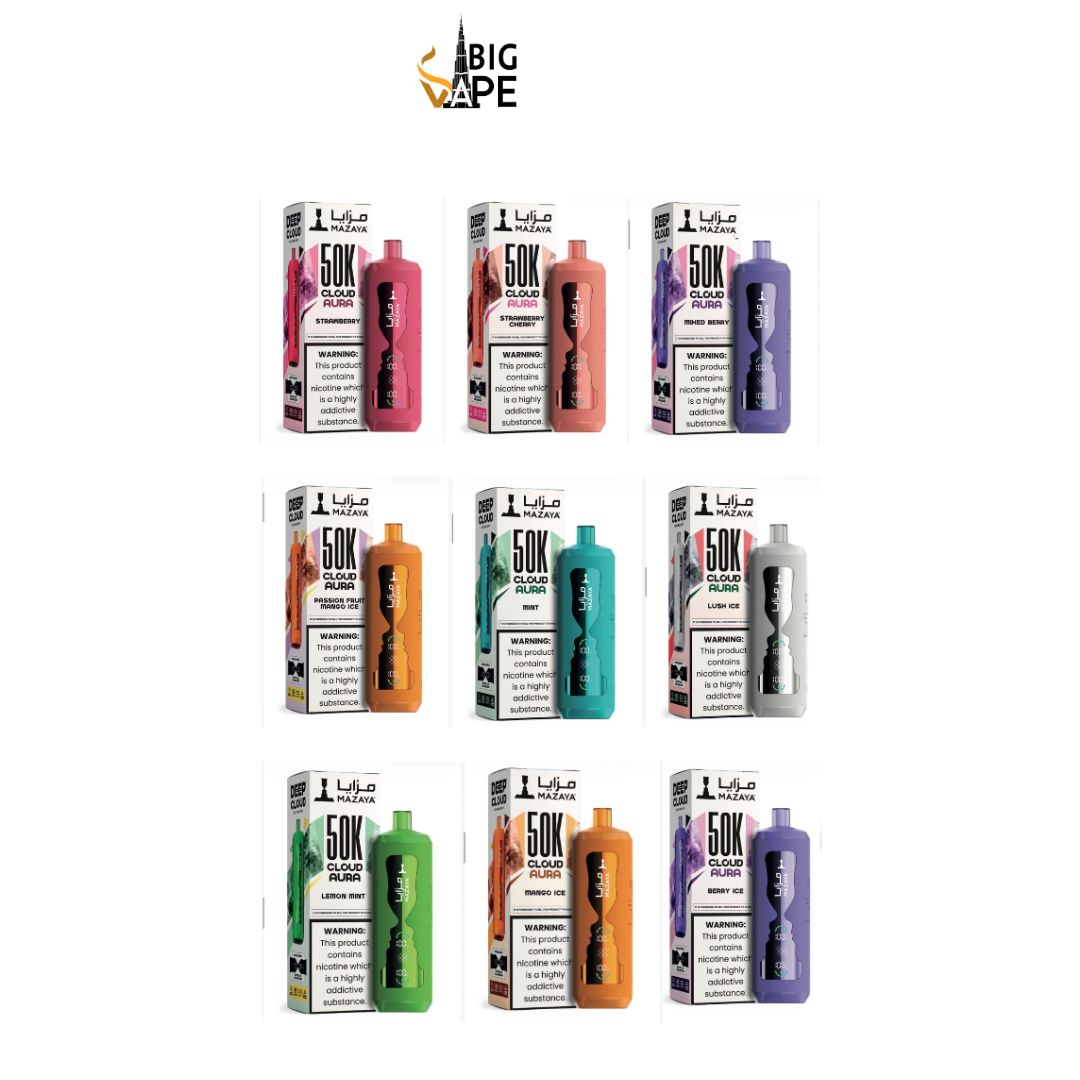
The Mazaya Cloud Aura 50000 Puffs is a high-capacity rechargeable disposable vaping device designed for extended use. Devices in this category are generally made for adult nicotine users where vaping products are legally available. Before using any vape, it is important to read the instructions printed on the packaging and follow local laws and age restrictions.
If you are using the Mazaya Cloud Aura 50000 for the first time, understanding the basic controls, charging process, airflow, and proper storage can help you use the device correctly. This guide explains the general steps for getting started and maintaining the device during its usable lifespan.
Check the Package Before Use
Before opening the Mazaya Cloud Aura 50000 Puffs device, inspect the packaging carefully.
Make sure:
- The package is properly sealed.
- The device does not appear damaged.
- There are no leaks or unusual smells.
- Any protective stickers, silicone plugs, or seals are removed before use.
- The product information and instructions are present.
If the device is damaged or leaking, it is best not to use it. Follow the seller’s or manufacturer’s instructions regarding damaged products.
Remove All Protective Covers
Many disposable and rechargeable vape devices include protective components to prevent accidental activation or leakage during transport.
Depending on the specific version of the Mazaya Cloud Aura 50000, you may find:
- A silicone cover on the mouthpiece.
- A protective seal on the airflow area.
- Stickers covering the device.
- Protective packaging around the charging port.
Remove only the temporary protective materials intended for transport. Do not attempt to open, refill, puncture, or disassemble the device.
After removing the protective covers, check that the mouthpiece and airflow openings are clear.
How to Start Using the Device
Many modern disposable vape devices use draw activation. This means the device may activate automatically when the user inhales through the mouthpiece, without requiring a traditional fire button.
To begin using the device:
- Remove all protective packaging.
- Hold the device normally with the mouthpiece facing upward.
- Take a gentle, steady puff through the mouthpiece.
- Allow the device to activate naturally if it is draw activated.
Avoid taking unusually hard or repeated rapid puffs. Gentle and controlled use can help prevent overheating and may provide a more consistent experience.
If your specific Mazaya Cloud Aura 50000 model includes a button, screen, switch, or adjustable settings, follow the instructions supplied with that exact version.
Understanding the Airflow System
Some high-capacity disposable devices include adjustable airflow. If your Mazaya Cloud Aura 50000 has an airflow control, it may allow the user to change how restricted or open the draw feels.
A more restricted airflow may provide a tighter draw, while a more open airflow may allow more air to pass through the device.
If an airflow slider or switch is available:
- Move it gradually.
- Test the draw after each small adjustment.
- Avoid forcing the control.
- Keep the airflow opening clean.
The exact airflow design can vary between versions, so the product packaging should be used as the main reference for your particular device.
Charging the Mazaya Cloud Aura 50000
Because a device advertised with a very high puff capacity may be rechargeable, the battery can require charging during its usable life.
If the device includes a charging port, use the appropriate compatible cable specified for the product. Before charging, inspect the device and cable for visible damage.
General charging precautions include:
- Place the device on a stable, non-flammable surface.
- Keep it away from water and moisture.
- Do not use damaged charging cables.
- Do not leave the device charging unattended.
- Disconnect it once charging is complete according to the manufacturer’s guidance.
- Keep it away from excessive heat and direct sunlight.
Do not attempt to modify the battery or charging system. If the device becomes unusually hot, damaged, swollen, or otherwise abnormal, stop using it and follow local guidance for safe electronic waste disposal.
What Does the Display Show?
Some versions of high-capacity disposable devices may include a digital display or indicator lights. Depending on the model, the screen may provide information such as:
- Battery status.
- Charging status.
- Selected mode.
- Remaining e-liquid indicator.
- Other device status information.
The exact display functions can differ between product versions. If the screen shows a symbol you do not understand, check the original packaging or manufacturer instructions.
Do not rely on a puff counter or liquid indicator as an exact measurement. Actual device lifespan can vary depending on usage patterns, battery performance, airflow settings, and other factors.
If the Device Has Different Modes
Certain disposable devices may include more than one operating mode. These settings can change the way the device performs.
For example, a model may offer a standard mode and a higher-output mode. If your Mazaya Cloud Aura 50000 includes this feature, use the control method described in the product instructions.
When switching modes:
- Change settings carefully.
- Avoid repeatedly switching the device unnecessarily.
- Pay attention to battery status.
- Follow the manufacturer’s instructions for the specific model.
Different settings may affect battery consumption and overall device lifespan.
How to Store the Device Properly
Correct storage can help protect the device from damage.
Store the Mazaya Cloud Aura 50000:
- In a cool and dry location.
- Away from direct sunlight.
- Away from water and excessive humidity.
- Away from heat sources.
- Where children and pets cannot access it.
- In an upright position when practical.
Avoid leaving the device inside a hot vehicle or exposing it to extreme temperatures. High temperatures can affect the battery and other internal components.
Keep the Mouthpiece Clean
The mouthpiece is exposed to dust and other environmental particles during normal use. Keeping it clean can help maintain hygiene.
Use a clean, dry cloth or tissue to gently wipe the exterior of the mouthpiece. Do not insert sharp objects into the device or pour liquid into any openings.
You should also keep the airflow openings clear. Blocking these areas may affect how the device operates.
Avoid Chain Use
Repeated use without allowing the device time to cool can cause performance problems. If the device becomes warm, stop using it and allow it to return to a normal temperature before handling it again.
Avoid:
- Continuous repeated activation.
- Excessive hard draws.
- Using the device when it feels unusually hot.
- Leaving it in direct sunlight.
Using the device according to the manufacturer’s instructions can help reduce unnecessary stress on the battery and internal components.
What to Do if the Device Is Not Working
If the Mazaya Cloud Aura 50000 does not activate, first check for simple issues.
Check the Protective Seals
Make sure all transport-related silicone covers and stickers have been removed.
Check the Battery
If the device is rechargeable, check whether the battery needs charging. Use the correct charging method recommended for the device.
Check the Airflow
Make sure the airflow openings are not blocked by dust, packaging material, or other debris.
Allow the Device to Cool
If the device feels warm after repeated use, stop using it temporarily and allow it to cool in a safe location.
Check for Damage
Do not continue using a device that is cracked, leaking, severely damaged, or behaving abnormally.
If basic troubleshooting does not solve the problem, contact the seller or manufacturer according to their support and return policies.
Do Not Refill or Disassemble the Device
The Mazaya Cloud Aura 50000 is designed as a prefilled device. You should not attempt to open, refill, puncture, modify, or disassemble it.
Opening a disposable vape can damage internal components and the battery. It can also create safety risks and may cause leaks or device malfunction.
When the device has reached the end of its usable life, dispose of it according to local rules for electronic devices and battery-containing products.
How Long Does 50000 Puffs Last?
The “50000 puffs” label is generally a manufacturer rating rather than a guarantee that every user will receive exactly the same number of puffs.
Actual usage can vary depending on factors such as:
- Puff duration.
- Frequency of use.
- Device settings.
- Airflow configuration.
- Battery performance.
- Individual usage habits.
Because of these variables, two users may experience different overall lifespans from the same type of device.
Important Safety and Legal Considerations
Vaping products containing nicotine are intended only for adults of legal age where permitted by law. Nicotine is addictive, and vaping products should be kept away from children and pets.
Always check the product label for information about nicotine strength and ingredients. Follow the laws and regulations in your country or region regarding the purchase, possession, and use of vaping products.
If you are not already an adult nicotine user, the safest choice is not to start vaping.
Frequently Asked Questions
How do I turn on the Mazaya Cloud Aura 50000?
Many disposable devices are draw activated, meaning they activate when the user inhales through the mouthpiece. However, some versions may include additional controls, so check the instructions for your exact model.
Can I recharge the Mazaya Cloud Aura 50000?
If your specific version includes a charging port and is designed to be rechargeable, you can recharge it using the appropriate compatible charging method specified by the manufacturer.
Can I refill the device?
No. A prefilled disposable device should not be opened or refilled unless the manufacturer specifically states that it is designed for refilling.
Why is my device not producing vapor?
Check whether protective seals have been removed, whether the battery requires charging, and whether airflow openings are blocked. If the device is damaged or still does not function correctly, stop using it and contact the seller or manufacturer.
Why does the device become warm?
Electronic devices can become warm during operation. Stop using the device if it becomes unusually hot and allow it to cool. Do not continue using a damaged or malfunctioning device.
Is 50000 puffs guaranteed?
No. Puff ratings are estimates based on testing conditions. Actual device lifespan varies according to usage patterns and device settings.
The End
The Mazaya Cloud Aura 50000 Puffs is designed to provide a convenient, prefilled vaping experience for eligible adult users. Before use, remove the protective seals, inspect the device, and follow the instructions supplied with your specific version. If the device is rechargeable, use only the recommended charging method and avoid charging a damaged device